Color has become one of the most important tools in my daily development workflow.
When I am moving across dozens of solutions, projects, and file types, a consistent color system gives me instant orientation. Visual Studio has made this easier than ever with a combination of tab coloring by project rules, file extension patterns, regular expressions, and both solution level and user level themes. By leaning into a couple of simple color palettes I have built a visual map that helps me understand where I am in the codebase before I read a single file name or line of code.
Themes by Solution (and User)
When I am working with multiple solutions I use themes to associate colors with each solution. This gives me a top level color identity, a visual anchor that helps me recognize which codebase I am in before I read a single project name.
How do I do this? Visual Studio's Unified Settings feature allows me to save settings by user or by solution. Navigate to Tools > Options and select Environment > Visual Experience. To ensure this does not impact every instance, set Applies to Solution. This saves your preferences in the settings.VisualStudio.json file in the solution root directory.
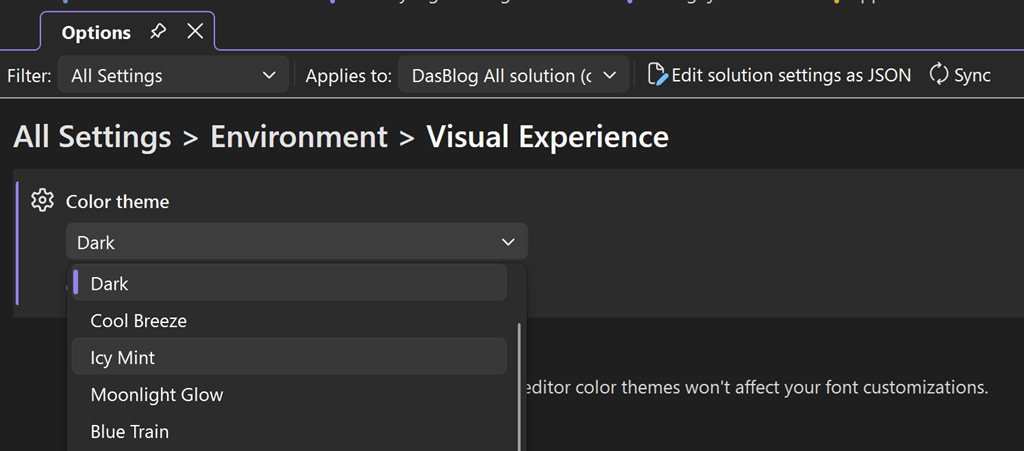
Once you get into the IDE you have several options for tab organization that are worth experimenting with for project, file extension, and regular expression.
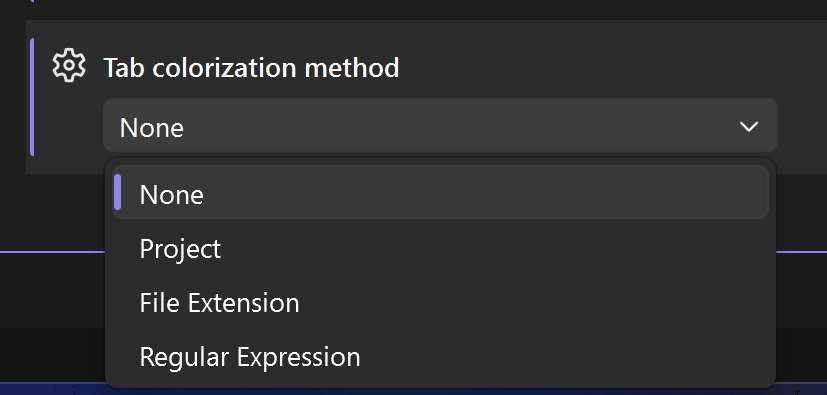
Tab Color – Project
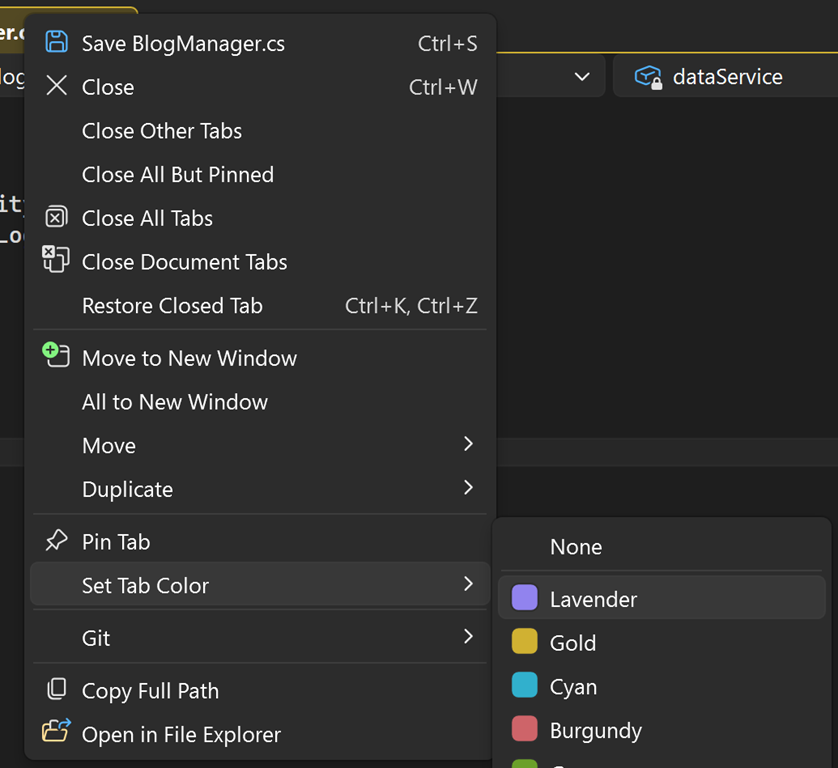
Associating tabs with the project is especially helpful for solutions with more than half a dozen projects. The file name is not always enough context and hovering over a tab to figure out the root location is not always efficient. Color gives me a structural map, letting me see boundaries of responsibility within the solution at a glance. To update the default color of each project right click on the document tab and assign with Set Tab Color.
Tab Color - File Extension
For single project solutions I typically group by file extension. Extension based colors create quick, low friction cues that tell me what kind of work I am about to do the moment I open a file. To update the default color for, let’s say .cs files right click on the document tab and update it with Set Tab Color.
Tab Color - Regular Expression
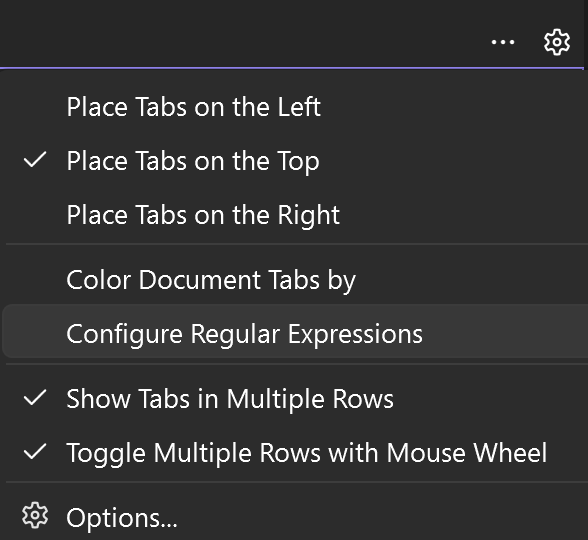
My favorite and most versatile option is the use of regular expressions. It lets me surface patterns in folders, names, extensions, or a combination of all three. One of my favorites is assigning a distinct tab color for controllers in ASP.NET projects.
Controller\.cs$
^.*\.cs$
^.*\.fs$
^.*\.vb$
^.*\.json$
^.*\.txt$
This creates a ColorByRegexConfig.txt file in the .vs folder. After defining this file you can apply a specific color by right clicking on the tab and selecting Set Tab Color.
Color is not useful to everyone, but when it is available it can become a grounding part of your workflow. For me it is a small shift in how Visual Studio presents information, but it has a big impact on how quickly I can move through a codebase and find the work that matters most.

Comments are closed.