I meant to create a feature branch for DasBlog Core. Instead, I committed a fix directly to main and pushed it.
The code was ready, but I had skipped the pull request workflow. I wanted to undo the change without rewriting shared history, then bring it back through a pull request. Visual Studio's Git tools let me do that from its UI.
It was a single commit, not a merge, which kept the recovery simple.
First, undo the change on main
With main checked out, up to date, and no pending changes, I opened Git > Manage Branches, right-clicked main, and selected View History.
From there, I found the accidental commit and chose Revert.
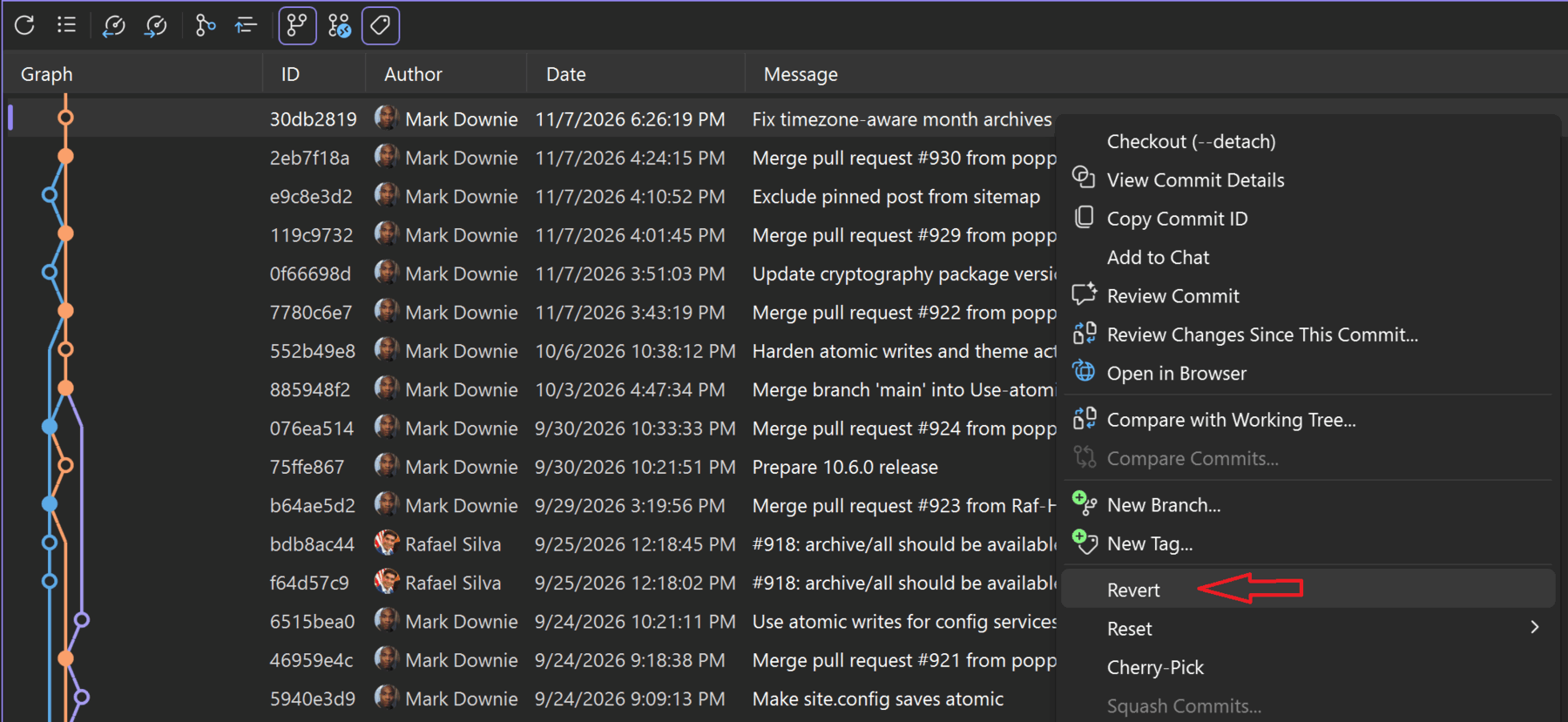
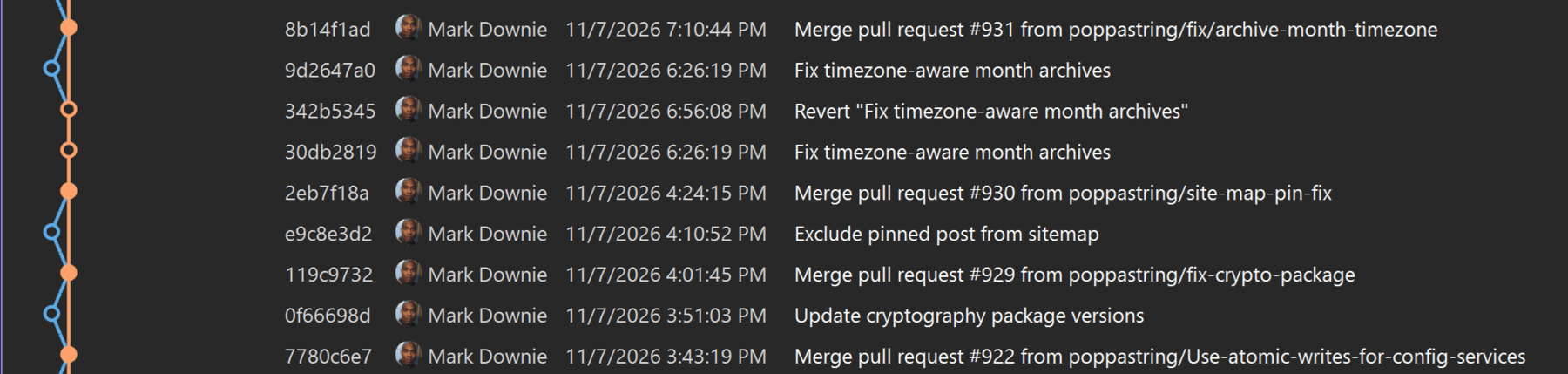
Revert does not erase the original commit. It creates a new commit that undoes its changes. After completing the revert and pushing main, the accidental fix was undone, with the recovery recorded in the branch's history. Any unrelated changes remained in place.
Then, create the feature branch
With the revert pushed, I went to Git > New Branch to create a feature branch. In the Create a new branch dialog, I named it fix/archive-month-timezone, selected main under Based on, and left Checkout branch selected so Visual Studio would switch to the new branch.
The new branch started with the same code as the reverted main, without my fix. The original commit was still in the history, so I could bring its changes back onto this branch.
Finally, bring the fix back
On the new feature branch, I returned to the history, found the original accidental commit, and selected Cherry-Pick, not on the revert commit, but on the original fix.
Cherry-pick reapplied the changes as a new commit on the feature branch. I then pushed that branch and opened a pull request targeting main. PR #931 passed its checks and was merged, putting the fix back on main as a new commit.
If the revert or cherry-pick reports conflicts, resolve them and complete the operation before moving to the next step.
Revert adds a commit that undoes another commit. Cherry-pick applies an existing commit's changes to the branch you have checked out.